Binance.US Bitcoin Buying Guide: Full Tutorial
Buying your first Bitcoin can feel like a lot at once. You have to pick an exchange, prove your identity, move money from your bank, and then choose between screens full of buttons and charts. Binance.US tries to make this easier by giving beginners a simple “Buy” button and giving experienced traders an order book with some of the lowest fees in the U.S. market.
This tutorial takes you through the whole process from start to finish. You will learn who can use the platform, how verification works, which funding method costs the least, how to place your first order, and how to move your coins into a wallet you control. Along the way you will find tables that compare costs and options, so you can decide what fits your budget and experience level.
What Is Binance.US and How It Differs from Binance
Binance.US is the American exchange that works alongside the global Binance brand but runs as a separate company. It was built for U.S. residents and follows U.S. rules, so its product list is smaller than on the international site. You will not find futures or margin trading here. What you do get is spot trading, simple buy and sell tools, recurring purchases, and staking on selected assets.
The past few years were rough for the exchange. After regulators went after it in 2023, it lost access to its banking partners and ran as a crypto-only platform for a long time. That period is over. According to CryptoSlate, ACH service started coming back in February 2025, and the SEC dropped its civil case against BAM, the company behind Binance.US, with prejudice in May 2025. In January 2026 the exchange also announced that it had finished a SOC 2 Type II audit, which is an independent review of its security and operating controls.
The platform lists more than 200 cryptocurrencies, with Bitcoin, Ethereum, Solana, XRP, and BNB among the most traded.
Can You Use Binance.US in Your State
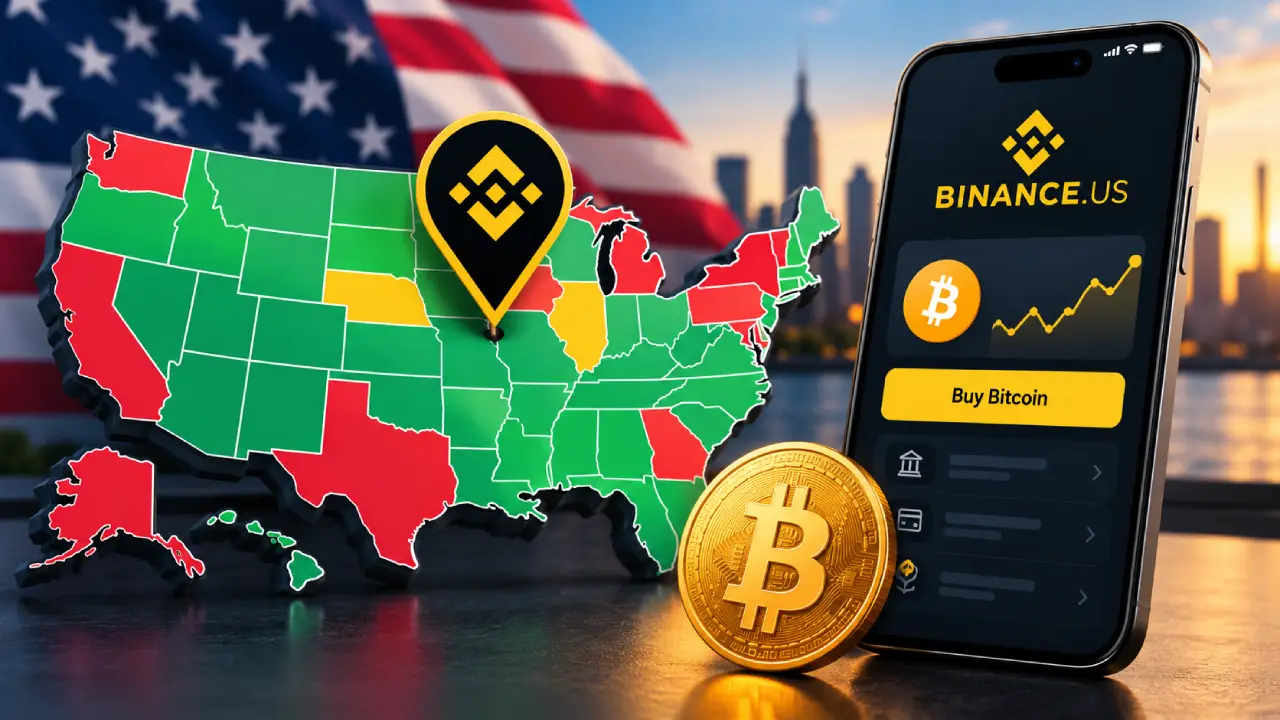
Before you download anything, check where you live. Binance.US does not operate everywhere in the country, and in a few states it only offers some of its features.
| Availability status | States and territories |
|---|---|
| Not supported | Alaska, American Samoa, Connecticut, Georgia, Guam, Maine, New York, North Carolina, North Dakota, Northern Mariana Islands, Ohio, Oregon, Texas, U.S. Virgin Islands, Vermont, Washington |
| Crypto-only (no USD deposits or bank linking) | Kansas, Wisconsin |
| Full service | All other U.S. states |
In Kansas or Wisconsin you can still trade crypto, but you cannot deposit dollars from a bank. So to buy Bitcoin there, you would first have to send in a stablecoin or some other crypto from a different wallet or exchange. The list changes over time, so look at the official Binance.US state page before you sign up.
What You Need Before You Start
Get these things ready first and the signup should only take a few minutes:
- An email address and a mobile phone number
- Your legal name, date of birth, and home address
- Your Social Security number
- A government-issued photo ID, such as a driver’s license or passport
- A personal checking account at a U.S. bank (savings and brokerage accounts do not work for ACH)
- An authenticator app like Google Authenticator or Authy for two-factor security
Step 1: Create Your Binance.US Account
Go to the official Binance.US website or get the app from the Apple App Store or Google Play. Type the web address yourself or use your app store’s search. Do not click links in emails or social media ads, because fake exchange sites are one of the most common ways people lose crypto.
Tap Sign Up, enter your email, and choose a strong password you have never used anywhere else. Binance.US will send a code to your inbox. Enter it to confirm the email, then add your phone number and confirm that too.
Step 2: Complete Identity Verification
Binance.US has to follow U.S. anti-money-laundering rules, so every customer goes through a “Know Your Customer” check. There are two levels.
| Verification level | What you provide | What it unlocks |
|---|---|---|
| Basic | Legal name, date of birth, SSN, residential address | Deposits, buying, selling, and standard withdrawals |
| Advanced | Everything in Basic, plus photo ID and facial verification | Higher limits and OTC trading for large orders |
Most people who just want to buy some Bitcoin only need Basic. Approval is often quick, but some users say it took longer when the details they entered did not exactly match their ID. Enter your name and address the same way they appear on your official documents to avoid delays.
Step 3: Secure Your Account
Turn on security before you put any money in. Open your account settings and set up the following:
- Two-factor authentication (2FA). Use an authenticator app. SMS is better than nothing, but an app is harder for attackers to hijack.
- Anti-phishing code. This is a personal phrase that shows up in every real email from Binance.US, so fake messages are easier to spot.
- Withdrawal address allowlist. Once this is on, crypto can only go to wallet addresses you saved in advance.
These steps take about five minutes and make it much harder for someone to empty your account if your password leaks.
Step 4: Fund Your Account
There are several ways to get dollars into Binance.US, and the cost varies a lot between them. This is where most beginners overpay without noticing.
| Funding method | Deposit fee | Speed | Best for |
|---|---|---|---|
| ACH bank transfer | Free | Usually a few business days to settle | Most buyers, regular investing |
| Domestic wire | Free to deposit ($25 to withdraw) | Often same or next business day | Larger one-time purchases |
| Debit or credit card | 3.99% | Instant | Small, urgent buys |
| Apple Pay or Google Pay (app only) | Card fee applies | Instant | Mobile convenience |
| Crypto deposit | Free | Depends on the blockchain | People who already hold crypto |
Going by the official fee schedule, ACH is the clear winner for most people. A $500 deposit by card costs about $20 in fees. The same deposit by ACH costs nothing.
How to Link Your Bank Through ACH
Binance.US uses Plaid to connect bank accounts. In the mobile app:
- Open the Portfolio tab and tap Deposit.
- Choose Deposit Cash, then Bank Transfer (ACH).
- Tap Continue to open Plaid, find your bank, and log in with your online banking details.
- Pick the checking account you want to use.
- Enter a deposit amount, review it, and confirm.
On the website, go to Payment Methods, click Add Payment Method, choose ACH, and follow the same Plaid steps.
Two rules from the Binance.US help center can catch you off guard. First, your bank balance should be at least 130% of the amount you deposit, which helps prevent overdrafts. Second, if you send several deposits quickly one after another, they can get rejected. It works better to make one larger deposit and trade from that balance.
Understanding the 7-Day Withdrawal Hold
Money from ACH, debit card, and Apple Pay deposits comes with a 168-hour (seven-day) hold. You can buy Bitcoin with it right away. What you cannot do is withdraw that dollar value, as cash or as crypto, until the seven days are up. Keep this in mind if you plan to move your coins to a personal wallet right after you buy.
Step 5: Choose How You Want to Buy Bitcoin
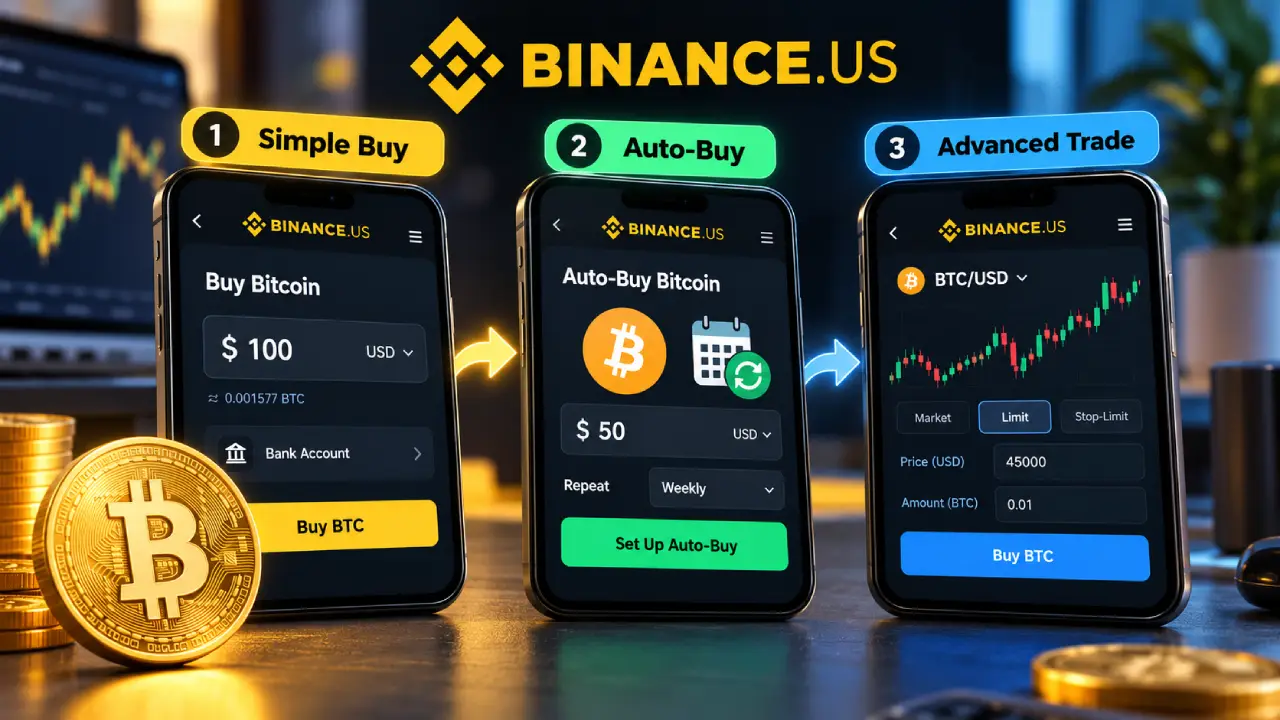
Binance.US has three main ways to buy BTC. They differ in how they charge you, so the choice affects your final cost.
| Buying option | How fees work | Difficulty | Who it suits |
|---|---|---|---|
| Buy / Sell / Convert | Spread built into the quoted price | Very easy | First-time buyers |
| Auto-Buy (recurring) | Same spread-based pricing | Very easy | Long-term, dollar-cost averaging investors |
| Advanced Trade (spot) | 0% maker, around 0.02% taker | Moderate | Cost-conscious and active traders |
The simple Buy screen doesn’t show a separate fee line. You pay through the spread instead, which is the gap between the price you get and the actual market price. Advanced Trade uses a clear maker-taker model with very low rates. If you are buying more than a small amount, learning Advanced Trade can save you a real amount of money.
Option A: Buy Bitcoin with the Simple Buy Button
This is the quickest way, and it’s ideal for your first purchase.
- Tap the yellow Buy button on the home screen (on the website, Buy Crypto at the top right).
- Choose Bitcoin (BTC).
- Enter the amount you want to spend in U.S. dollars.
- Pick your payment method: USD balance, linked bank, or card.
- Check the quote, which shows how much BTC you will get.
- Tap Confirm. Your Bitcoin shows up in your portfolio within seconds.
Quotes refresh every few seconds because the price is always moving. If the timer runs out, just refresh and confirm the new price.
Option B: Set Up Auto-Buy for Dollar-Cost Averaging
Dollar-cost averaging means buying a fixed dollar amount on a schedule, whatever the price is that day. Many long-term Bitcoin holders like it because it takes away the pressure of trying to time the market.
To set it up:
- Start a normal purchase from the Buy screen.
- Pick BTC, enter your amount, and select a payment method.
- Turn on the Auto-Buy toggle (on the web, open the One-time Purchase dropdown).
- Choose how often: daily, weekly, twice a month (on the 1st and 15th), or monthly.
- Review and confirm.
Your first order goes through right away, and the rest follow your schedule. You can pause or cancel Auto-Buy whenever you want from the same menu.
Option C: Buy Bitcoin on Advanced Trade
Advanced Trade opens the full order book, and this is where Binance.US’s fees are lowest. Here is what the current schedule looks like:
| Trading pair type | Maker fee | Taker fee (with BNB discount) |
|---|---|---|
| BNB/USD (Tier 0) | 0.00% | 0.0095% |
| All other pairs, including BTC/USD | 0.00% | 0.0190% |
| All other pairs at $500M+ 30-day volume | 0.00% | 0.0095% |
A maker order is one that adds liquidity to the book, usually a limit order that does not fill right away. A taker order is one that fills immediately against orders already on the book, like a market order. Since maker fees are zero, patient buyers who use limit orders can often pay nothing in trading fees at all.
Here is how to place your order:
- Switch to Advanced Trade (called Pro or Spot mode in some app versions).
- Search for the BTC/USD pair, or BTC/USDT if you hold stablecoins.
- Choose an order type:
- Market order buys right away at the best price available.
- Limit order lets you set the price you want to pay and waits for the market to get there.
- Stop-limit order triggers a limit order once the price crosses a level you choose.
- Enter the amount of BTC, or the dollar value.
- Click Buy BTC and confirm.
Holding a little BNB and turning on “Pay fees with BNB” in your settings gives you another 5% off Advanced Trade fees.
Real Cost Example: Buying $1,000 of Bitcoin
To see how much your choices matter, here is a rough comparison of the costs on a $1,000 purchase using different combinations.
| Scenario | Deposit cost | Trading cost | Approximate total cost |
|---|---|---|---|
| Card deposit + simple Buy | $39.90 | Spread (varies) | $40+ |
| ACH deposit + simple Buy | $0 | Spread (varies) | Spread only |
| ACH deposit + Advanced Trade market order | $0 | About $0.19 | Under $1 |
| ACH deposit + Advanced Trade limit order | $0 | $0 | $0 |
The numbers are estimates based on the published fee schedule, and spreads change with market conditions. The takeaway is simple: fund with ACH and use limit orders, and you keep almost the whole $1,000 working for you.
Step 6: Store Your Bitcoin Safely
After you buy, your BTC sits in your Binance.US account. The exchange says it keeps most customer assets in offline cold storage, and U.S. dollar balances are held at partner banks. Still, keeping coins on any exchange means someone else controls your private keys.
If you plan to hold Bitcoin long term, think about moving it to a wallet you own. That can be a hardware wallet like Ledger or Trezor, or a reputable software wallet.
How to Withdraw Bitcoin to Your Own Wallet
- Open your wallet and copy its Bitcoin receiving address.
- In Binance.US, go to Portfolio (app) or Wallet (web) and choose Withdraw.
- Select BTC and read the warning message.
- Paste the address or scan its QR code. Check the first and last few characters by eye.
- Choose the Bitcoin network. Sending on the wrong network can mean losing your funds for good.
- Enter the amount and look over the network fee shown on the screen.
- Confirm through the email link and your 2FA code.
- Track the transfer with the Transaction ID on a blockchain explorer.
Crypto withdrawals cannot be reversed. With a new wallet, send a small test amount first, wait for it to arrive, and then send the rest.
Common Problems and How to Fix Them
| Problem | Likely cause | What to do |
|---|---|---|
| ACH deposit failed | Low bank balance or expired bank login | Make sure you have 130% of the deposit amount, then reconnect your bank through Plaid |
| Deposit rejected | Too many deposits in a short period | Wait, then make one larger deposit |
| Can’t withdraw BTC after buying | 7-day hold on ACH or card funds | Wait until the hold ends, as shown in your wallet |
| Verification stuck | Details don’t match your ID | Check spelling and address format, then contact support |
| “Service not available” message | Your state is restricted | Check the supported state list |
Pros and Cons of Buying Bitcoin on Binance.US
| Pros | Cons |
|---|---|
| Some of the lowest spot trading fees among U.S. exchanges | Not available in 16 states and territories |
| Free ACH deposits and withdrawals | 3.99% card deposit fee is high |
| Simple Buy screen for beginners plus a full order book for experienced users | 7-day hold on newly deposited funds |
| Auto-Buy for disciplined, long-term investing | No futures or margin trading |
| 200+ supported cryptocurrencies | Customer support response times get mixed reviews |
| SOC 2 Type II audit completed in 2026 | Regulatory history may worry some users |
Tips to Get More Out of Every Purchase
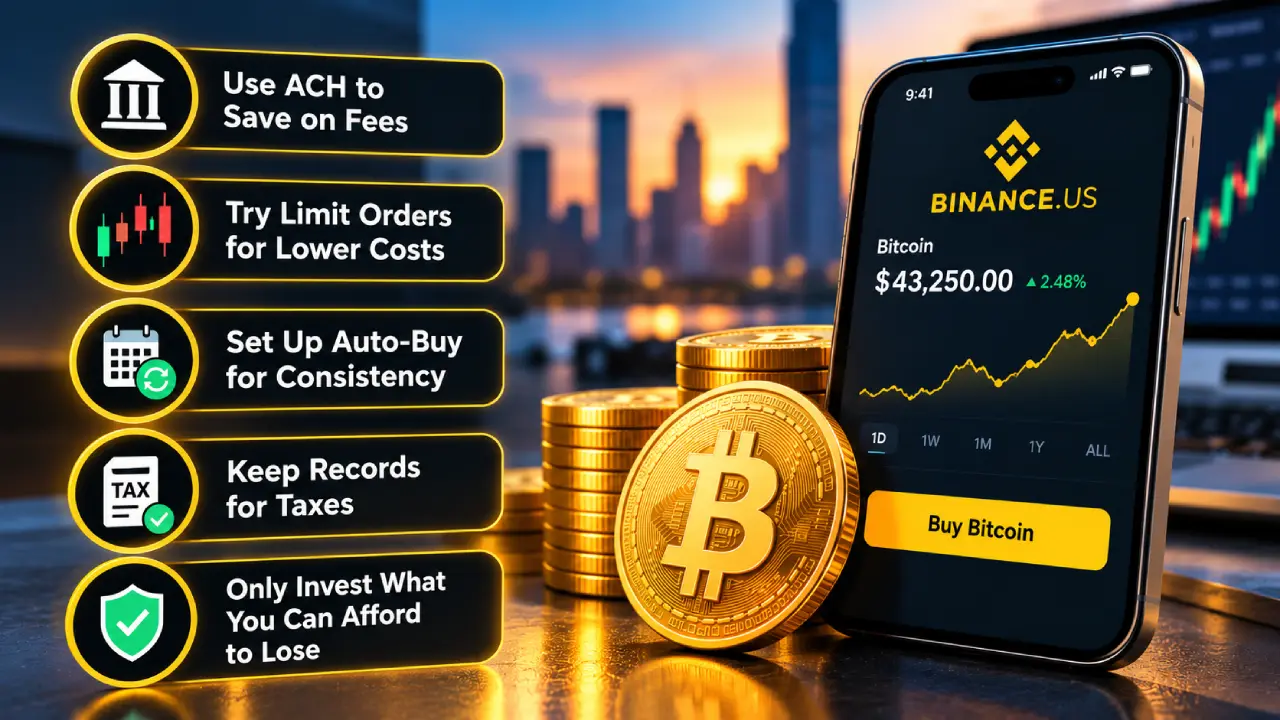
- Stick with ACH. Avoid paying card fees unless speed matters more than cost.
- Learn limit orders early. With zero maker fees, patience pays off.
- Automate your buys. Auto-Buy stops emotions from pushing you into buying at the top.
- Keep records. In the U.S., selling or trading Bitcoin can be a taxable event. Download your transaction history every year for tax season.
- Only invest what you can afford to lose. Bitcoin’s price can move 10% or more in a single day.
Frequently Asked Questions
Is Binance.US safe for buying Bitcoin?
Binance.US uses cold storage for most assets, offers 2FA and address allowlisting, and finished a SOC 2 Type II audit in 2026. No exchange is risk-free, though, so turn on every security feature and consider self-custody for large amounts.
How long does it take to buy Bitcoin on Binance.US?
Once your account is verified, the purchase itself takes seconds. Funding is the slow part: ACH transfers can take a few business days to fully settle, while card deposits are instant but more expensive.
What is the cheapest way to buy Bitcoin on Binance.US?
Deposit by ACH and place a limit order on Advanced Trade. Both the deposit and the maker trade are free.
Can I buy a fraction of a Bitcoin?
Yes. Bitcoin divides into 100 million units called satoshis, so you can buy as little as a few dollars’ worth.
Why can’t I withdraw my Bitcoin right after buying it?
If you paid with ACH, a debit card, or Apple Pay, a seven-day hold applies to that deposit’s dollar value. After the hold ends, you can withdraw freely.
The Bigger Picture
For U.S. residents in supported states, Binance.US is one of the cheapest ways to buy Bitcoin, especially once you move past the simple Buy button and start using Advanced Trade. The steps are the same every time: verify your account, secure it, fund it with ACH, choose how you want to buy, and decide where to store your coins. Get those basics right and every dollar you invest goes further.
This article is for educational purposes only and is not financial advice. Cryptocurrency prices are volatile, so do your own research before investing.